
Intermittent screen blackouts are diagnosed by reproducing the failure, checking power and ground integrity, scanning network modules, reviewing software updates, and ruling out heat, vibration, low voltage, or connector problems. The hardest part is proving the fault before replacing expensive modules.
Quick Takeaways
- A screen that fails randomly needs evidence: timing, temperature, bumps, startup behavior, battery condition, and stored communication codes.
- Shops may test the battery, charging system, fuses, grounds, connectors, software level, and network communication.
- Replacement is usually the last step, not the first, because displays, control units, and programming can be costly.
Why intermittent faults are difficult
A screen blackout that happens once a week is harder than a completely dead screen. The shop may not see the failure during a short appointment. The system can include a display, infotainment module, instrument cluster, camera interface, body control module, wiring, fuses, and software. Some vehicles reboot the display while driving; others lose touch response, audio, camera image, or climate controls. Each symptom points to a different diagnostic path.
The first clues technicians want
Technicians ask when the blackout happens: cold start, after heat soak, over bumps, after phone connection, during reverse camera use, or during low battery conditions. A video helps if it is captured safely while parked or by a passenger. Mileage, recent battery replacement, jump-starts, water intrusion, aftermarket accessories, and collision repairs all matter. If the vehicle has a safety-related display concern, NHTSA safety issue search can help owners check for recalls or investigations.
Electrical checks before module replacement
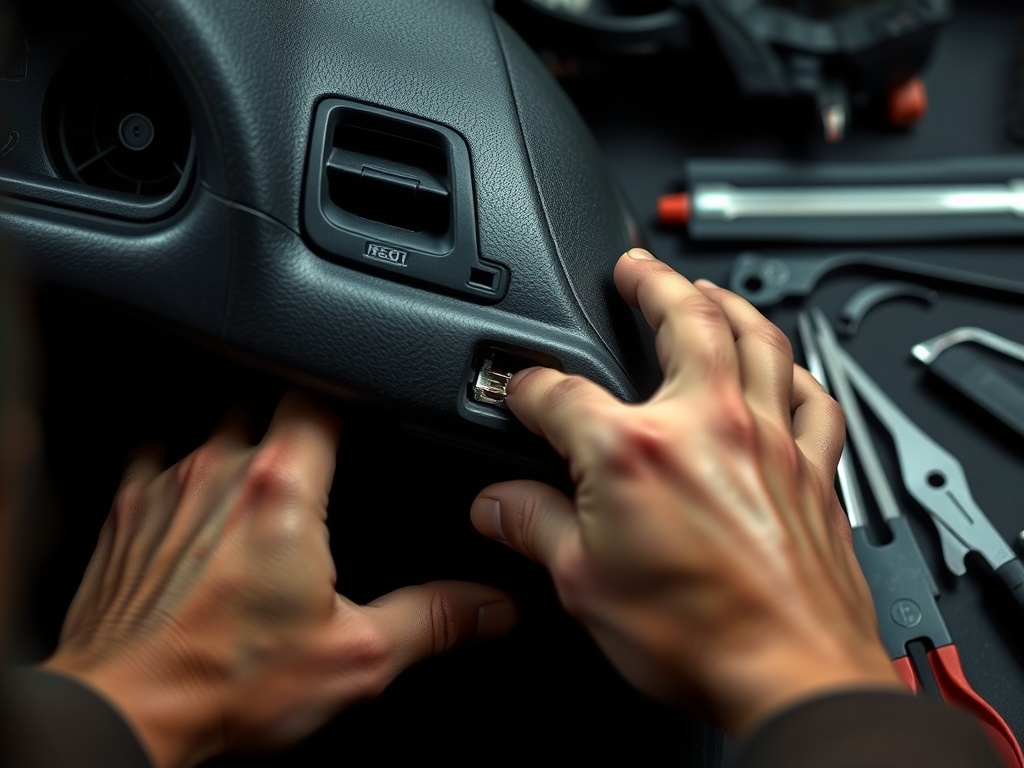
A shop should test battery health, charging voltage, fuse fit, ground quality, and connector tension. Low system voltage can create strange electronic symptoms long before the vehicle fails to start. Heat can expand weak solder joints or connectors. Vibration can interrupt a loose harness. This is similar in principle to lighting upgrades discussed in LED headlight electrical upgrade concerns: modern electronics often need stable power and correct communication, not just a new visible component. For supporting guidance, see NHTSA safety issue search.
Network and software diagnosis
Advanced diagnosis may include scanning multiple modules, checking communication codes, reviewing update bulletins, and watching live network data. Some repairs involve software updates or module resets; others require replacement and programming. A clear estimate should explain whether the shop has confirmed a failing display, a controller, a wiring fault, or an update-related issue. The FTC auto repair basics repair guidance is useful here because customers should ask what testing supports the recommended repair.
When vibration and body issues matter
If the screen blacks out after bumps, the issue may be connector movement, a loose ground, or harness strain. The suspension guide at clunking over bumps diagnostic process focuses on mechanical clunks, but the lesson carries over: reproduce the condition and rule out simple causes before replacing parts. Water intrusion near a windshield, sunroof, or dash can also damage connectors and modules, especially when symptoms appear after rain.
How to approve the next diagnostic step
Because intermittent faults can consume time, ask the shop to define the first diagnostic block and what result will trigger the next step. Ask whether the fault was reproduced, whether codes were present, and whether software updates were checked. If another complaint involves exhaust, drivetrain, or warning lights, keep it separate from the screen issue; muffler resonator catalytic converter guide is an example of a distinct system that needs its own evidence. The next step is a documented diagnostic plan, not a blind display replacement. For connected context, read LED headlight electrical upgrade concerns.
Proof Points for Intermittent Electronics
Intermittent electronics reward patience and good notes. A shop may need the vehicle long enough to test cold starts, heat soak, bumpy roads, phone pairing, camera operation, and accessory load. If the driver can safely provide a video, it should capture the surrounding condition rather than only the blank screen. Was the car in reverse? Was the phone plugged in? Did the audio stop too? Did the cluster stay on? Those details narrow the system map.
Aftermarket accessories deserve special attention. Remote starters, dash cameras, audio upgrades, chargers, tracking devices, and poorly repaired collision wiring can introduce voltage drops or network issues. That does not mean every accessory is the cause, but it should be included in the inspection history. Water leaks around the windshield or sunroof can also create delayed failures because moisture may reach connectors before obvious cabin dampness appears.
The best repair authorization separates diagnostic time from replacement approval. A display module can be costly, and some require programming. Before approving one, ask whether power, ground, communication, software, and connectors were checked. Ask whether the shop reproduced the blackout or found stored communication faults. The goal is to replace the failed piece, not the most visible piece. For supporting guidance, see FTC auto repair basics.
Customer Notes That Help Electronics Diagnosis
Write down the full chain of events when the screen goes black. Did the radio keep playing? Did steering-wheel controls work? Did the backup camera fail only in reverse? Did the instrument cluster lose information too? Did the screen restart by itself? Each answer helps separate display failure from a deeper network, power, or software problem.
Temperature is another strong clue. A screen that fails after sitting in the sun may point toward heat-sensitive electronics, while a failure on cold starts may involve voltage drop or boot timing. Moisture matters as well. If symptoms follow rain, car washes, or windshield work, tell the shop before trim is removed. Water paths can be hard to spot once the interior dries. For connected context, read clunking over bumps diagnostic process.
Because software can be involved, ask whether the shop checked for applicable updates or service information. Not every independent shop has the same access for every brand, and some programming work may need dealer-level tools. A trustworthy shop will explain that boundary early rather than replacing hardware that cannot be fully configured afterward.
For screen concerns, owners should also ask how saved settings, paired phones, navigation data, and camera calibration will be handled. Some repairs may reset preferences or require module setup. That is not a reason to avoid the work, but it is useful to know before pickup. A professional handoff should confirm that the screen, audio, camera, steering controls, charging ports, and related features were checked after the repair. For connected context, read muffler resonator catalytic converter guide.
When the blackout affects a backup camera or instrument display, treat it as more than an entertainment inconvenience. The repair priority may rise because the screen may support visibility, vehicle status, or safety information. Tell the shop exactly which functions disappear so the concern is prioritized correctly.
Practical Comparison for Drivers
| Clue | Possible direction | Shop response |
|---|---|---|
| Blackout on startup | Low voltage or module boot issue | Battery, charging, software checks |
| Blackout over bumps | Connector, ground, or harness movement | Wiggle test and road test |
| Camera only goes blank | Camera circuit or interface module | Reverse input and camera data checks |
| Screen hot to touch | Thermal or internal module concern | Heat-related reproduction test |
Solving the Screen Fault Without Guesswork
Use the symptom, the inspection evidence, and the vehicle’s real operating conditions to choose the next step. A good service conversation should leave you knowing what was checked, what is urgent, what can wait, and how the result will be verified after the work is finished.
Neutral next step: document the symptom, gather any maintenance history, and ask for a written inspection or diagnostic plan before approving parts replacement.